Tyre Management Software for Mining: What to Look For
Choosing tyre management software for a mine site? Here are the capabilities that matter in the pit, from offline field apps to cost per hour and multi-site reporting.
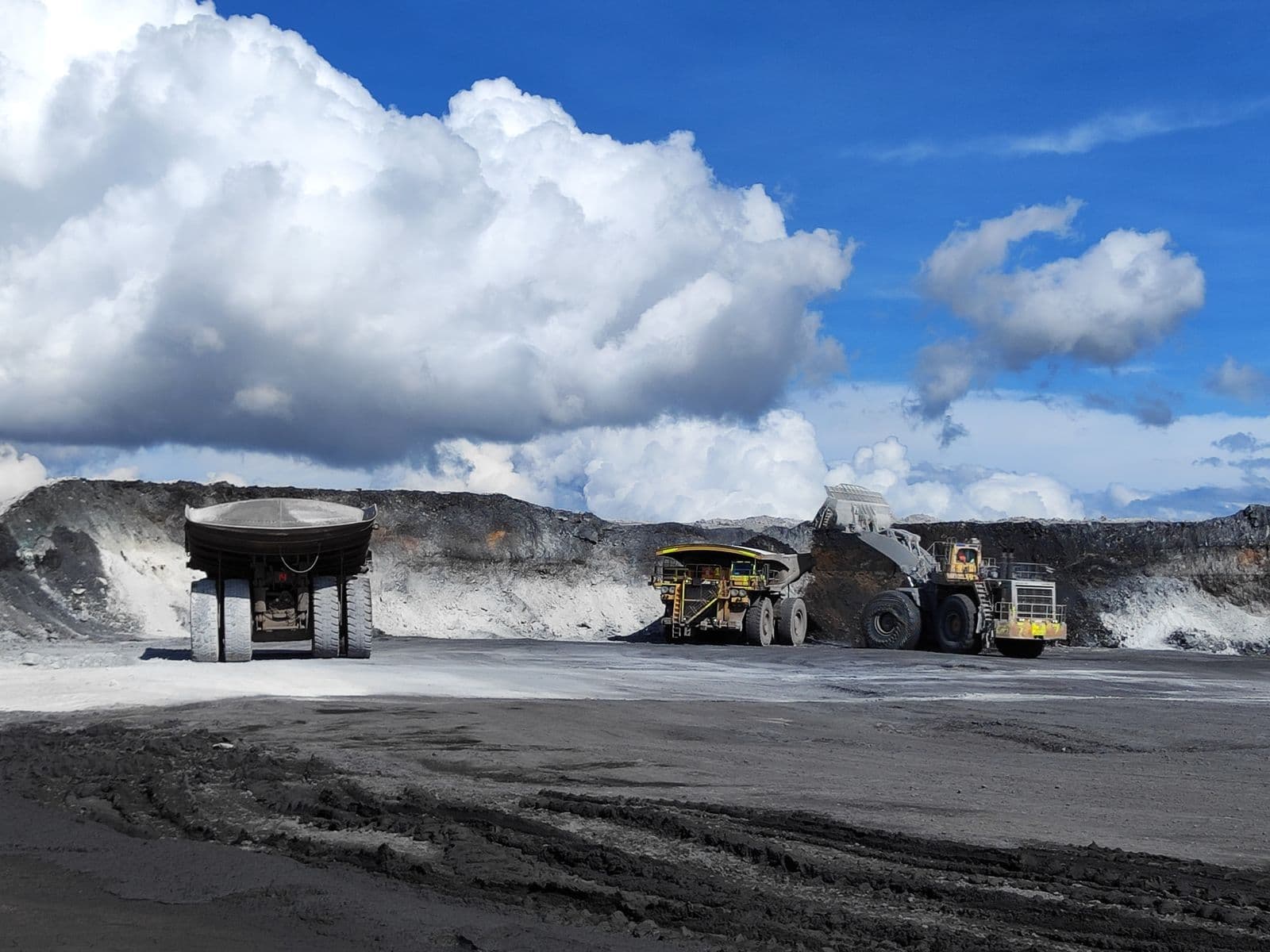
Tyres are one of the largest controllable costs on a mine site. A single haul truck tyre can cost as much as a new ute, and a fleet runs hundreds of them. Yet many operations still track tyres with paper inspection sheets, a shared spreadsheet and a lot of tribal knowledge held by a few experienced tyre fitters.
Dedicated tyre management software is meant to fix that. But "tyre management" means different things to different vendors, and a system that looks good in a sales demo can fall over the first week it meets dust, shift changes and patchy connectivity. This guide covers what to look for when evaluating tyre management software for mining, so you can separate tools built for the pit from tools built for a clean office.
Start with the people who will use it
The most common reason tyre systems fail is not missing features. It is that the people in the field stop using them.
Your tyre fitters and inspectors are the ones capturing the data. If logging an inspection takes longer than writing it on a clipboard, the clipboard wins and the system fills with gaps. When you evaluate a product, ask to see the field workflow, not just the dashboard:
- How many taps does a routine pressure check take? It should be quick enough to do at every truck, every round.
- Is the vehicle shown as a visual position diagram? Fitters think in wheel positions, not tyre serial numbers. A diagram of the actual axle layout reduces errors.
- Can it handle your full fleet mix? Haul trucks, loaders, graders, water carts and light vehicles all have different wheel configurations. The system should cope with all of them, not just the 6-wheel rear dump.
A good test: hand the app to a fitter during the trial and watch. If they need a manual, keep looking.
Offline capability is not optional
Connectivity in an open pit is unreliable at best. Signal drops behind benches, in the workshop and anywhere far from the main infrastructure. Many remote sites in the Pilbara, the Bowen Basin or the Goldfields have the same story.
Software that needs a live connection to save an inspection will lose data or stall the crew. Look for a mobile app that:
- Stores inspections on the device when there is no signal
- Syncs automatically once a connection returns, without the fitter doing anything
- Handles conflicts sensibly when two people touch the same vehicle
Ask the vendor to demonstrate this live. Put the device in flight mode, log an inspection, then reconnect and see what happens.
Track the whole tyre lifecycle, not just inspections
An inspection log on its own tells you what a tyre looked like on a given day. To manage cost, you need the full history of each tyre from purchase to scrap:
- Receipt into stock and fitment to a vehicle and position
- Hours and kilometres run on each position
- Rotations, repairs and retreads
- Removal, reason for removal and final scrap condition
- Warranty claims and their outcomes
When this history is connected, you can answer the questions that drive real savings. Which brand delivers the best life on your haul roads? Which positions wear out early? Which removals were premature and why? Without lifecycle tracking, those answers stay buried in spreadsheets, if they exist at all.
Cost per hour should be calculated for you
Cost per hour (CPH) is the metric most mining operations use to compare tyre performance. In simple terms it is the total cost of a tyre divided by the operating hours it delivered. It sounds easy, but calculating it manually across a fleet is slow and error-prone, especially once you account for repairs, retreads and tyres that move between vehicles.
Good tyre management software should calculate CPH automatically from the data your crews already capture, and let you break it down by:
- Brand and tyre size
- Vehicle model and wheel position
- Site and haul road
- Time period, so you can see trends rather than single snapshots
If a vendor's answer to "how do I see cost per hour?" involves exporting to Excel, that is a red flag. Related measures such as TKPH (tonne-kilometres per hour) are also worth asking about if heat build-up on long hauls is a concern at your operation.
Multi-site visibility
Most mining companies run more than one site, and each site tends to develop its own way of recording tyre data. That makes comparisons almost impossible. Head office ends up waiting days for someone at each site to pull numbers together.
Look for a platform that:
- Holds every site in one system with consistent data definitions
- Lets you compare tyre performance and cost between sites side by side
- Records tyre transfers between sites, so a tyre's history follows it
- Gives each site the access it needs without exposing everything to everyone
Cross-site benchmarking is often where the biggest savings appear, because it shows which site practices actually work.
Security, access control and audit trail
Tyre data is operational data, and large mining companies will put any new system through an IT and security review. Save yourself time by checking early:
- Data isolation. Your data should be separated from other customers' data, not just filtered.
- Encryption of data in transit and at rest.
- Role-based access. A field operator, a site superintendent and a corporate analyst need different views and permissions.
- Audit trail. Every inspection, change and decision should be logged with who did it and when. This matters for accountability and for warranty disputes with tyre suppliers.
Integration with your ERP
Tyre costs eventually land in your finance and procurement systems. If the tyre system cannot talk to your ERP, someone will be re-keying numbers by hand, which brings back the errors you were trying to remove.
Ask what integration exists today and what is on the roadmap. Many Australian miners run SAP, so check which SAP products are supported and how cost data maps to your GL accounts and cost centres. Be wary of vague answers. "We have an API" is not the same as a working integration with your system.
Support on the ground
Software alone does not change how tyres are managed. Rollout needs training for fitters, agreed inspection routines and someone who understands tyres, not just the app. Ask each vendor:
- Who runs onboarding and training, and is it done on site?
- How is your existing tyre and asset data imported?
- Do they offer tyre engineering expertise, such as failure analysis or pressure and rotation strategy, if your team needs it?
A vendor that has worked alongside mining crews will answer these questions in concrete terms.
A short checklist for your evaluation
Before you sign, make sure you can answer yes to most of these:
- Fitters can log a routine inspection quickly, with a visual position diagram.
- The mobile app works fully offline and syncs automatically.
- Every tyre has a complete history from purchase to scrap.
- Cost per hour is calculated automatically and can be broken down by brand, position and site.
- All sites sit in one system with consistent data.
- Data is isolated, encrypted and protected by role-based access with a full audit trail.
- There is a clear path to integrate with your ERP.
- Onboarding and training happen on site with people who understand tyres.
Conclusion
The right tyre management software pays for itself through longer tyre life, fewer premature removals and faster decisions. The wrong one becomes another system that crews ignore. Judge every option on how well it works in the field first, then on the reporting it gives management.
TyreMetric was built with mining field teams around exactly these requirements: an offline-ready mobile app for fitters, full lifecycle tracking, automatic cost per hour and multi-site reporting in one platform. If you are evaluating tyre management software for your operation, request a demo and we will walk you through it on your own fleet.